

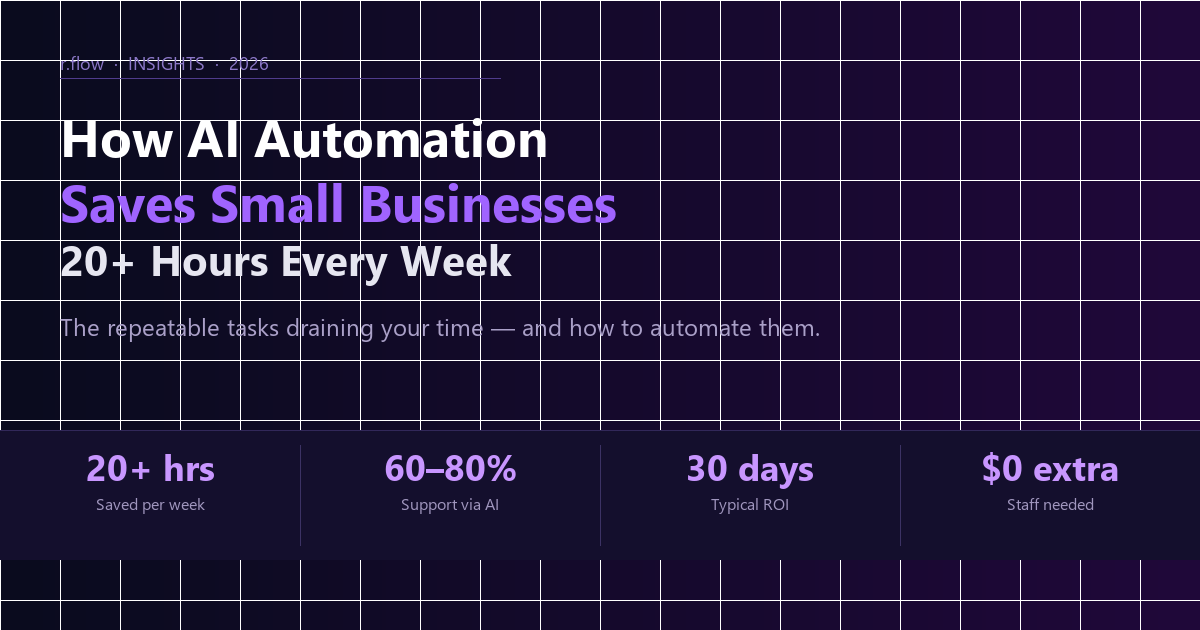
If you’re still handling repetitive tasks manually in 2026, you’re handing your competitors an edge they’re already using. AI automation for small business has gone from buzzword to genuine competitive advantage — the average small business owner who deploys even basic AI workflows reclaims 20+ hours every week.
What Is AI Automation for Small Business?
AI automation uses artificial intelligence — large language models, computer vision, and intelligent workflow orchestration — to handle tasks that previously required a human. Unlike traditional automation, AI adapts: it reads context, drafts personalised responses, qualifies leads based on form inputs, and makes judgment calls that rule-based systems can’t.
For small business owners, the win is straightforward: hand the machine the repeatable, predictable work so you can focus on relationships, strategy, and growth.
7 Tasks Small Businesses Are Automating Right Now
1. Lead Qualification & Follow-Up
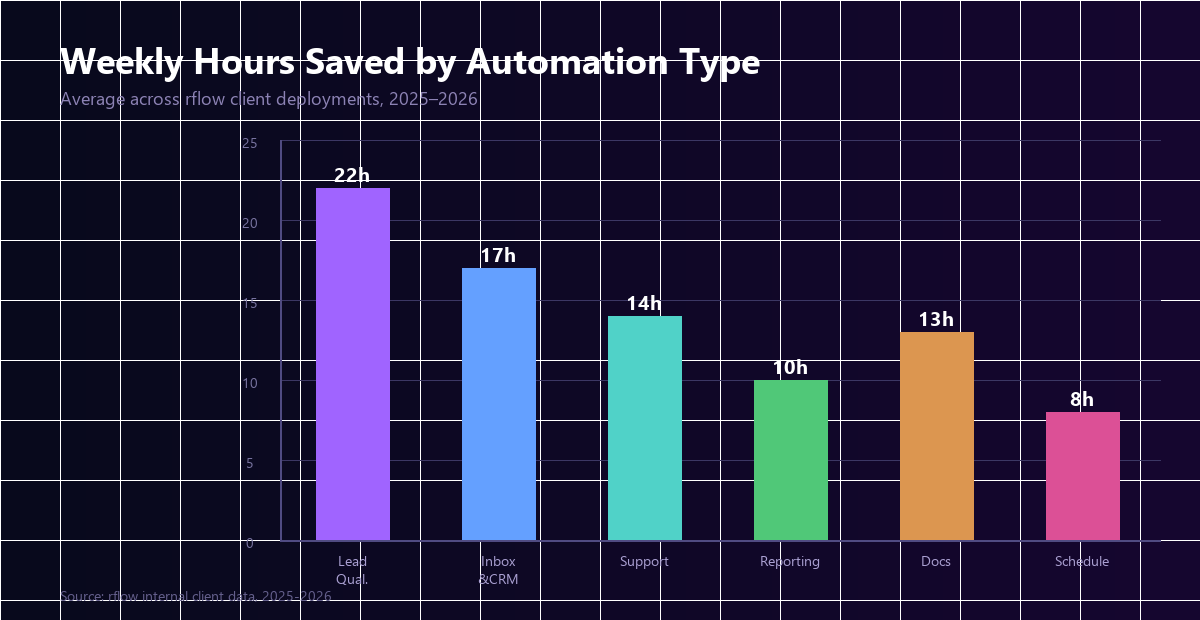
An AI agent connected to your contact form reads every submission, scores the lead against your ideal-client profile, and either books a discovery call automatically or sends a personalised nurture sequence. One legal firm client went from 3 hours of inbox triage daily to 20 minutes reviewing only the highest-priority conversations.
2. Inbox & CRM Management
GPT-powered email agents read incoming messages, categorise them (support, sales, billing), draft contextual replies, and log everything to your CRM automatically. Tools like n8n, Make, and Zapier connect your inbox to HubSpot or Salesforce — no custom code required for basic flows.
3. Customer Support (24/7, Zero Overtime)
A Retrieval-Augmented Generation (RAG) support agent trained on your product docs and past tickets handles 60–80% of inbound queries without escalation. When it can’t answer, it hands off to a human with a full conversation summary — saving your team from repetitive first-contact triage.
4. Reporting & Analytics Summaries
Instead of manually pulling data from Analytics, your payment processor, and CRM every Monday, an automated pipeline aggregates, summarises, and emails you a plain-English report before you’ve finished your coffee. This alone saves most owners 3–5 hours per week.
5. Invoice & Document Processing
AI document tools extract data from invoices, contracts, and purchase orders, then route them for approval or directly into your accounting software. For businesses handling 50+ documents monthly, this is often the highest-ROI automation to deploy first.
6. Social Media & Content Scheduling
AI content pipelines draft posts based on your brand guidelines, pull in relevant news from the web, and queue everything for a final human review. You stay in creative control; the machine handles the drafting and scheduling grunt work.
7. Appointment Booking & Calendar Management
AI scheduling assistants handle back-and-forth emails, check availability, send confirmations, and follow up on no-shows — fully automated. Often the quickest win for service businesses: set up in an afternoon, time savings from day one.
Real Numbers: What Can You Actually Expect?
| Business Type | Primary Automation | Avg. Hours Saved/Week |
|---|---|---|
| Professional Services | Lead intake + document processing | 18–25 hrs |
| E-commerce | Customer support + inventory alerts | 12–20 hrs |
| Trades & Home Services | Quoting + scheduling + follow-up | 10–18 hrs |
| Coaches & Consultants | Onboarding + CRM + content | 8–15 hrs |
| Retail | Reporting + supplier comms | 5–12 hrs |
How to Get Started with AI Automation
- Audit your week: List every repetitive, rule-based, or data-entry task. Time yourself doing each one for a week.
- Pick the highest-volume task first: Lead email responses or appointment scheduling are ideal — high frequency, clear rules, measurable outcome.
- Connect your existing tools: Use Zapier, Make, or n8n to wire your inbox, CRM, and calendar together before adding AI.
- Add AI as the brain: Once tools talk to each other, layer in a GPT step that reads context and makes decisions instead of just passing data.
- Measure, refine, expand: Track hours saved for 30 days. Refine the logic. Expand to the next task.
Choosing the Right AI Automation Partner
- Do they scope before quoting? Anyone quoting without understanding your workflow is guessing.
- Can they show live examples? Ask to see an actual working automation — not a slide deck.
- Do you own the code? Vendor lock-in is real. Make sure you walk away with something you control.
- Is it built for your workflow? The biggest time savings come from custom logic built around how your business actually operates.
The Bottom Line
AI automation for small business in 2026 is not about replacing people — it’s about giving your people back the hours that repetitive work has been quietly stealing. The businesses that move first will have a compounding advantage: more time to serve clients better, move faster, and grow smarter.
Whether you start with a single Zapier flow or a custom GPT agent, the best time to begin was last year. The second-best time is today.
rflow builds custom AI automation systems for US and UK small businesses — scoped upfront, priced fairly, shipped on time. Get a free quote →
Need help with your project?
We build what we write about. Get a free quote — reply within 4 hours.
Get a free quote →